
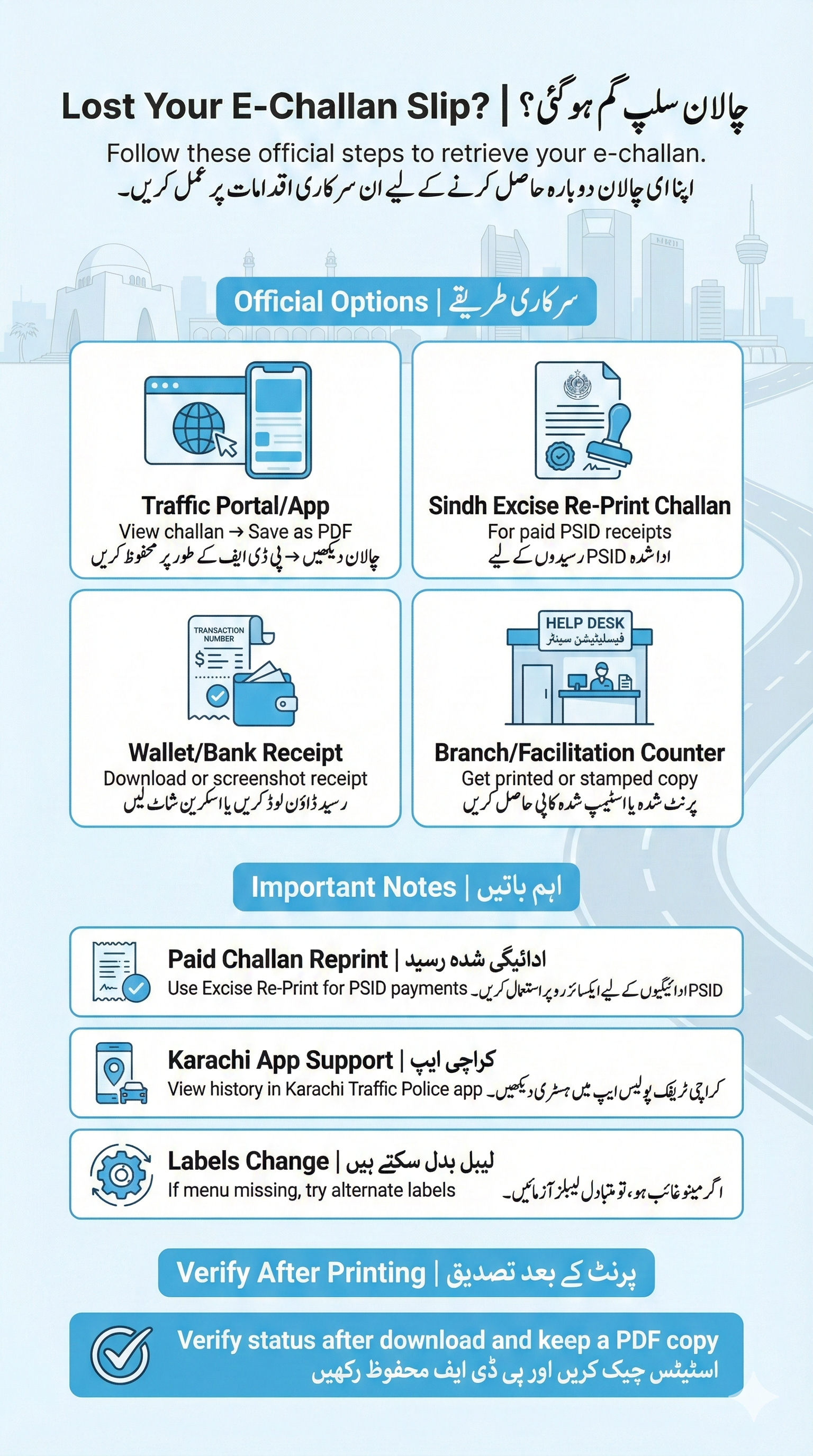
Lost your traffic challan slip? Use these official, reliable options to reprint or save a duplicate copy. We cover traffic portal/app, Sindh Excise Re-Print Challan, wallet/bank receipt, and branch/facilitation counter. After you print, verify status and keep a PDF copy for your records.
Important
- ???? If you already paid the challan, you can often reprint a receipt from the Sindh Excise “Re-Print Challan” page for PSID-based payments. Official Re-Print Challan.
- ???? Karachi users can also view challan details/history in the Karachi Traffic Police Android app (challan verification, history, submission).
- ⚙️ Portals and menu labels change. If a label is missing, try the alternatives below.
Four Ways to Get a Duplicate Slip
Method A – Traffic Portal or App (View → Print to PDF) ✅
- Open the official traffic portal or the Karachi Traffic Police app and search your e-challan by Vehicle No or CNIC (as supported).
- Open the challan detail screen. If a “Download/Print” button is available, tap it. Otherwise, use your browser’s Print → Save as PDF.
- Save the PDF. Check that it shows challan number, amount, date, and vehicle details.
Why this works: The portal/app shows your active or recent challans; most browsers let you save the page content as a PDF. Karachi app features: challan verification & history.
Useful Links / مفید روابط
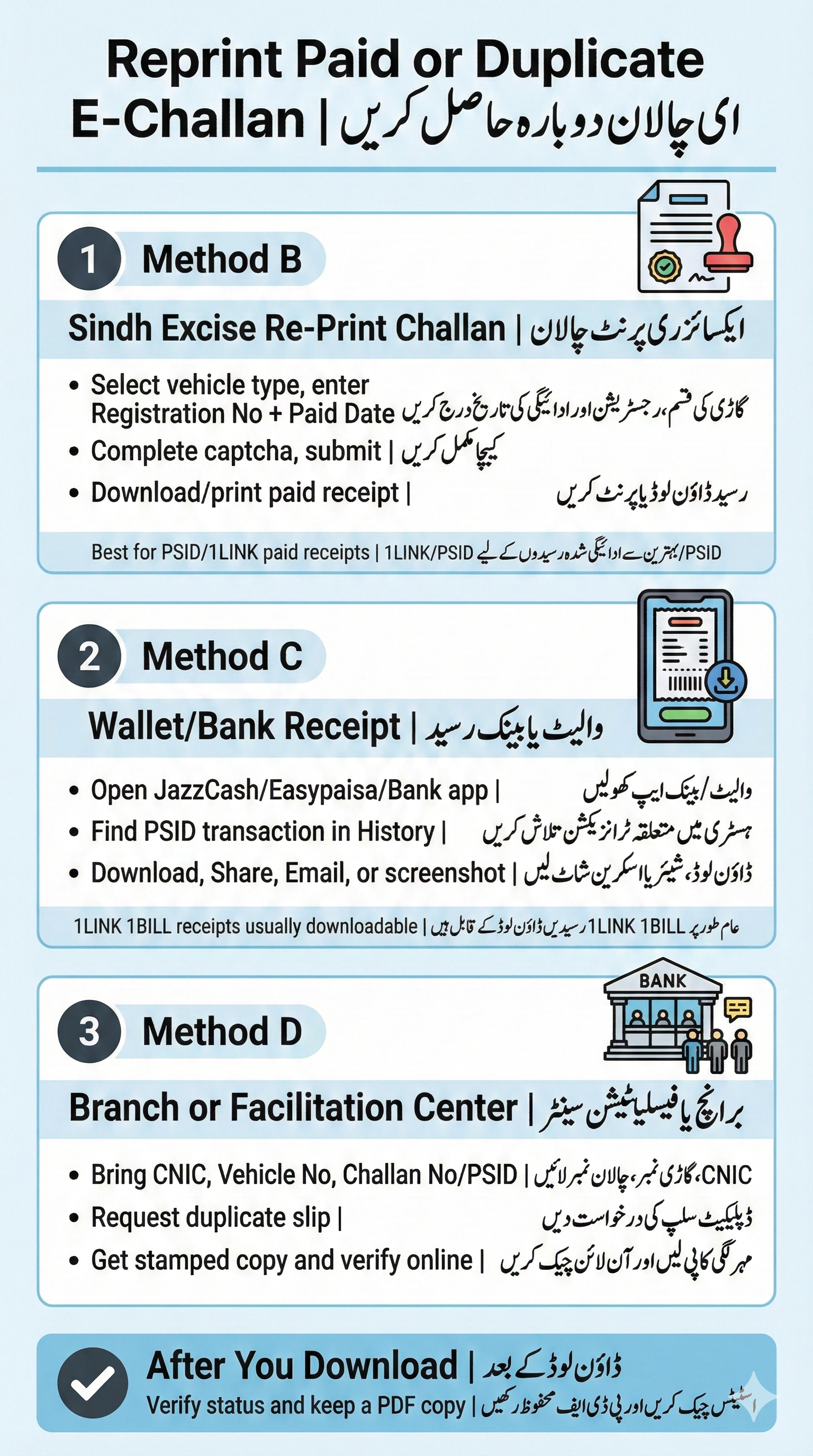
Method B – Sindh Excise “Re-Print Challan” (for PSID/paid receipts) ????
- Go to Re-Print Challan.
- Select Vehicle Type (2-wheeler / 4-wheeler), enter Registration No (e.g., ABC-123) and Challan Paid Date, complete captcha, and submit.
- Download/print the paid challan receipt shown on screen.
Good for: reprinting receipts generated through Sindh’s Excise tax portal rails (1LINK/PSID). If you paid via PSID through a bank/wallet and it synced with Excise, this route often provides a clean printable receipt.
Method C – Wallet/Bank Receipt (JazzCash, Easypaisa, Bank App/ATM) ????
- Open your wallet (JazzCash/Easypaisa) or bank app.
- Go to History / Receipts and find the traffic challan transaction (PSID/challan no.).
- Use Download, Share, or Email receipt to save a PDF. If only a screen is available, take a clear screenshot.
Tip: Wallets and bank apps using 1LINK “1BILL” usually keep a downloadable receipt or detailed transaction view for PSID payments. You can pair this with Method A to keep both the challan PDF and the payment receipt.
Method D – Bank Branch or Traffic Facilitation Center ????️
- Go with your Challan No/PSID, Vehicle No, and CNIC copy.
- Request a duplicate challan/receipt at the counter (or print via their system if they offer it).
- Keep the stamped copy for records, then verify status online.
After You Download
- Open the PDF and confirm Challan No, amount, date, and vehicle details.
- If this was a paid receipt, recheck status. If still pending after some hours, see E-Challan Not Showing Online.
اردو: ڈپلیکیٹ ای-چالان سلپ ڈاؤن لوڈ / پرنٹ کریں
طریقہ A – ٹریفک پورٹل یا ایپ (ویو → پی ڈی ایف میں پرنٹ) ✅
- کراچی ٹریفک پولیس ایپ یا سرکاری پورٹل کھولیں اور ای-چالان تلاش کریں (گاڑی نمبر یا CNIC سے)۔
- چالان کی تفصیل کھولیں۔ اگر Download/Print بٹن ہو تو اس پر کلک کریں، ورنہ براؤزر میں Print → Save as PDF کریں۔
- پی ڈی ایف محفوظ کریں اور چیک کریں کہ نمبر، رقم، تاریخ اور گاڑی کی تفصیل واضح ہو۔
وضاحت: ایپ/پورٹل میں چالان نظر آتا ہے، براؤزر سے آسانی سے پی ڈی ایف محفوظ ہو جاتی ہے۔ کراچی ایپ میں ویریفیکیشن اور ہسٹری فیچرز موجود ہیں۔
طریقہ B – سندھ ایکسائز “Re-Print Challan” (PSID/ادائیگی شدہ رسید) ????
- Re-Print Challan صفحہ کھولیں۔
- گاڑی کی قسم منتخب کریں، رجسٹریشن نمبر اور ادائیگی کی تاریخ درج کریں، کیپچا مکمل کریں اور سبمٹ کریں۔
- نمایاں ہوئی ادائیگی شدہ رسید ڈاؤن لوڈ یا پرنٹ کریں۔
کب مفید؟ اگر آپ نے PSID کے ذریعے ادائیگی کی ہے اور وہ ایکسائز سسٹم میں ریکارڈ ہو گئی ہے تو یہ صفحہ عموماً صاف پرنٹیبل رسید دیتا ہے۔
طریقہ C – والیٹ/بینک رسید (جاز کیش، ایزی پیسہ، بینک ایپ/اے ٹی ایم) ????
- والیٹ یا بینک ایپ کھولیں اور History / Receipts میں متعلقہ ٹرانزیکشن تلاش کریں۔
- Download / Share یا Email receipt سے پی ڈی ایف محفوظ کریں، ورنہ واضح اسکرین شاٹ لے لیں۔
نوٹ: 1LINK/1BILL ادائیگیوں کی تفصیلی رسید اکثر ایپس میں دستیاب ہوتی ہے۔
طریقہ D – بینک برانچ یا ٹریفک فیسلٹیشن سینٹر ????️
- چالان نمبر/PSID، گاڑی نمبر اور CNIC ساتھ رکھیں۔
- کاؤنٹر سے ڈپلیکیٹ چالان/رسید کی درخواست دیں اور مہر لگی کاپی لے لیں۔
- بعد میں آن لائن اسٹیٹس چیک کریں۔
Best Practices & Troubleshooting
- ???? Can’t find your challan online? Try CNIC search or wait for sync. Guide: E-Challan Not Showing Online.
- ???? Need fine details? See Traffic Violation Fines in Sindh.
- ???? Want to pay now? Follow Pay E-Challan (JazzCash, Easypaisa, Bank).
- ⚖️ Challan wrong? Use Appeal/Dispute a Wrong E-Challan.
FAQs
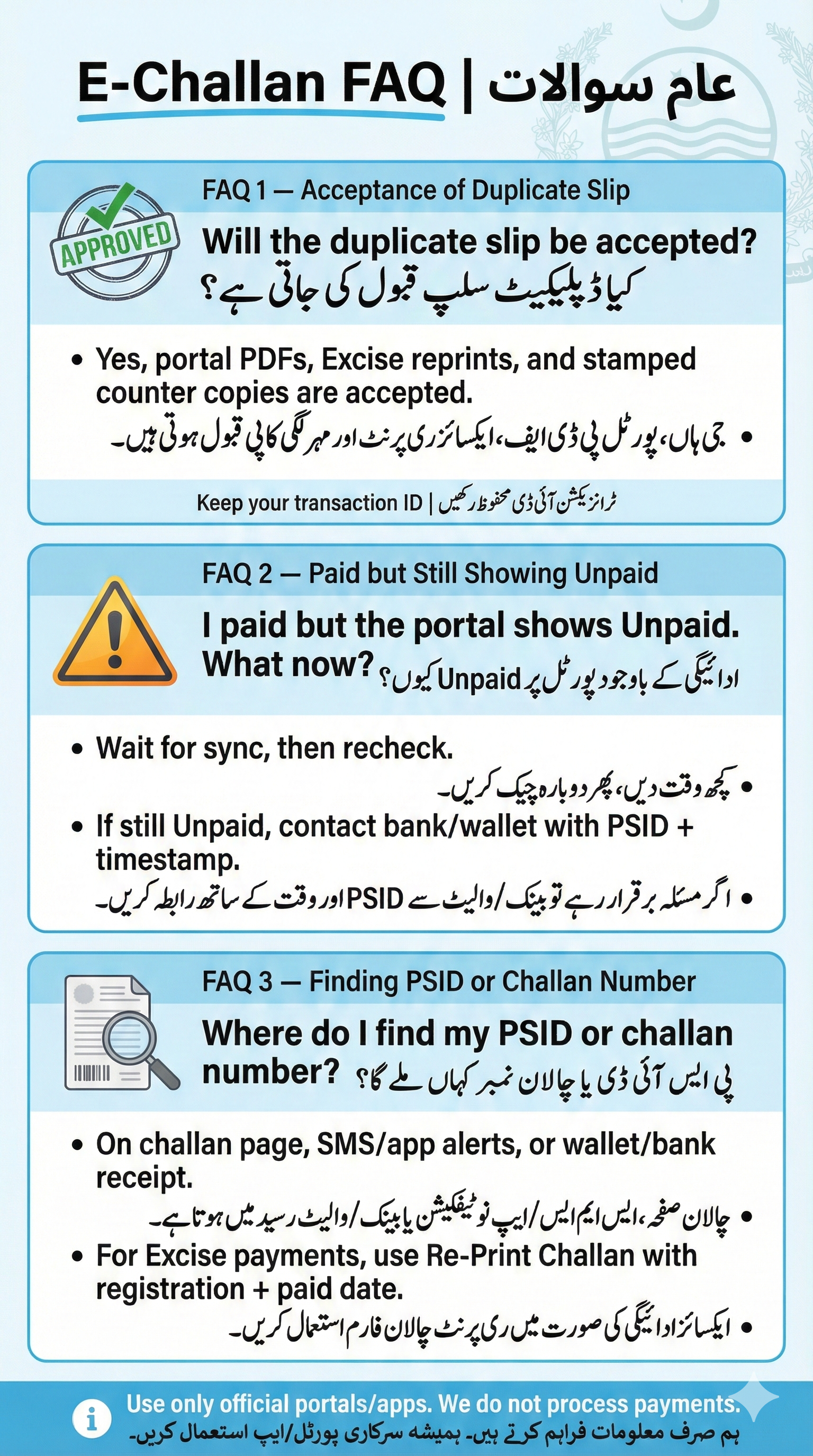
Will the duplicate slip be accepted at banks or by traffic police?
Yes. A printed portal PDF, Excise reprint, or stamped counter copy are all acceptable forms of proof. Keep your transaction ID as well.
I paid but the portal still shows “Unpaid”. What should I do?
Allow some time for sync, then check again. If it persists, contact your wallet/bank with the PSID and time of payment. For portal issues, see Not Showing Online and keep your receipt handy.
Where do I find my PSID or challan number?
It’s on the challan page, SMS/app notification, or wallet/bank receipt. If you used Excise rails, you can use the Re-Print Challan form with registration + paid date.
Disclaimer: We are an informational site. We do not process payments. Always use official portals/apps.